Designed and built a lightweight automation product entirely using AI that helps service businesses keep customer follow-up moving.
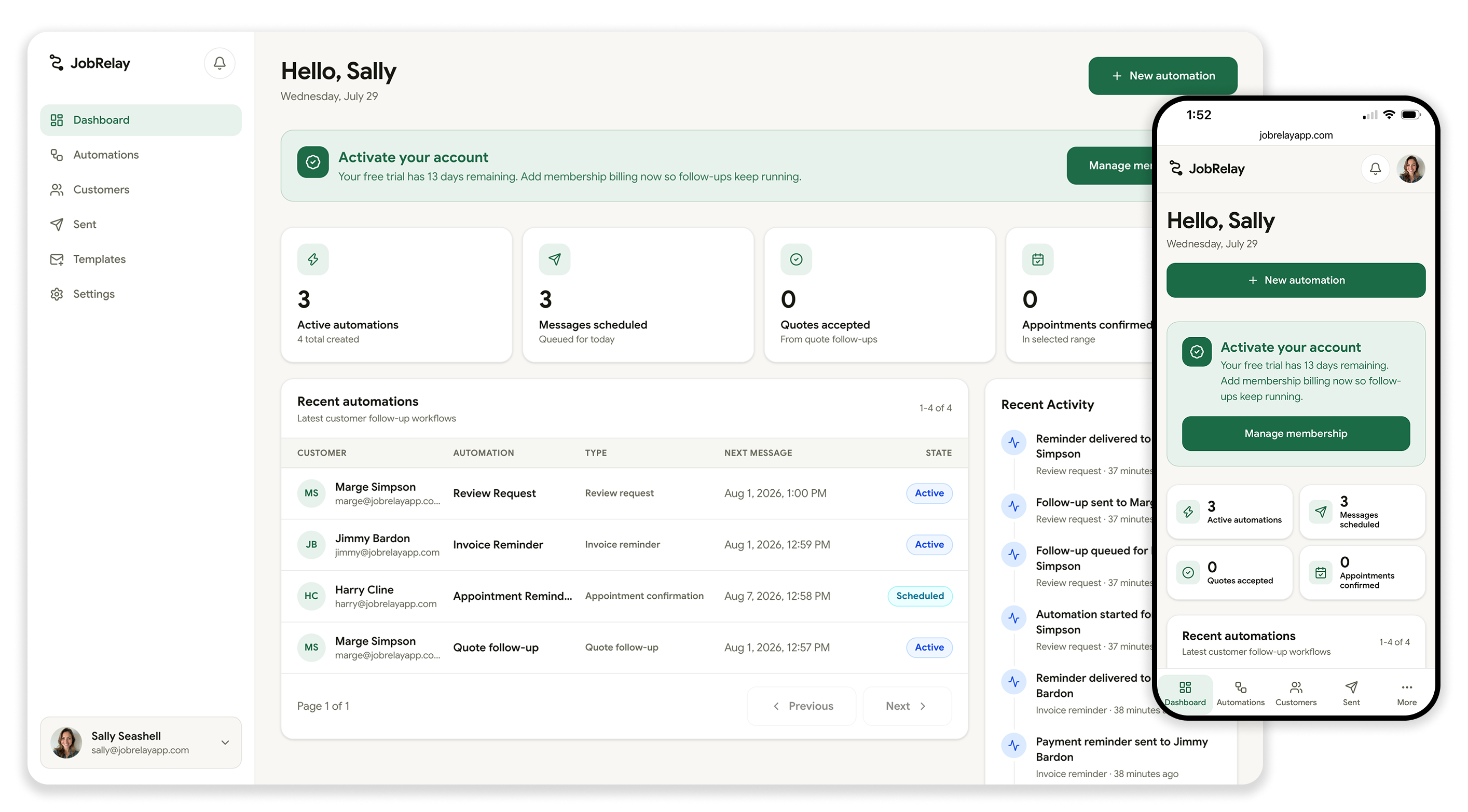
The Challenge
Service businesses lose momentum in small, repeated handoffs: an estimate gets sent and never followed up, a customer forgets an appointment, an invoice sits unpaid, or a happy customer never leaves a review.
The problem is not that owners do not care about follow-up. It is that follow-up competes with the actual work. A contractor, cleaner, landscaper, or mobile service provider may be running jobs all day and trying to remember who needs a nudge later that night.
I wanted JobRelay to solve that operational gap without turning into a heavy CRM. The product had to feel obvious, fast, and practical for service teams that need customer communication handled, not another system to manage.
Quotes
Follow up after estimates while interest is still fresh.
Appointments
Confirm bookings and send reminders before the job.
Invoices
Send polite payment reminders until the invoice is paid.
Reviews
Ask satisfied customers for reviews at the right moment.
Focus: Customer follow-up automation •Audience: Service businesses
Create automation flow
The Approach
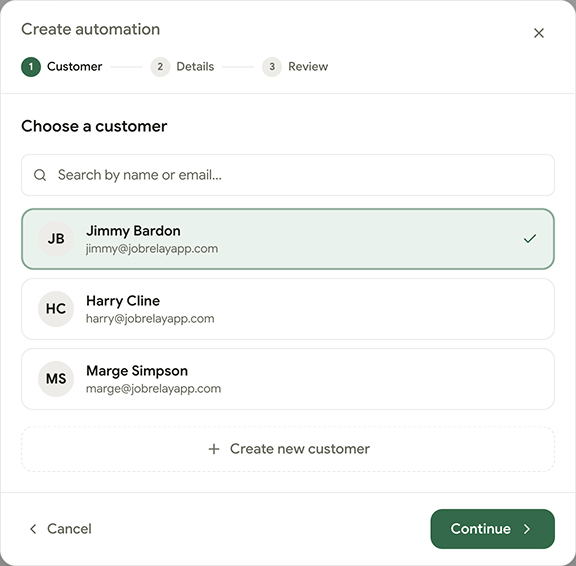
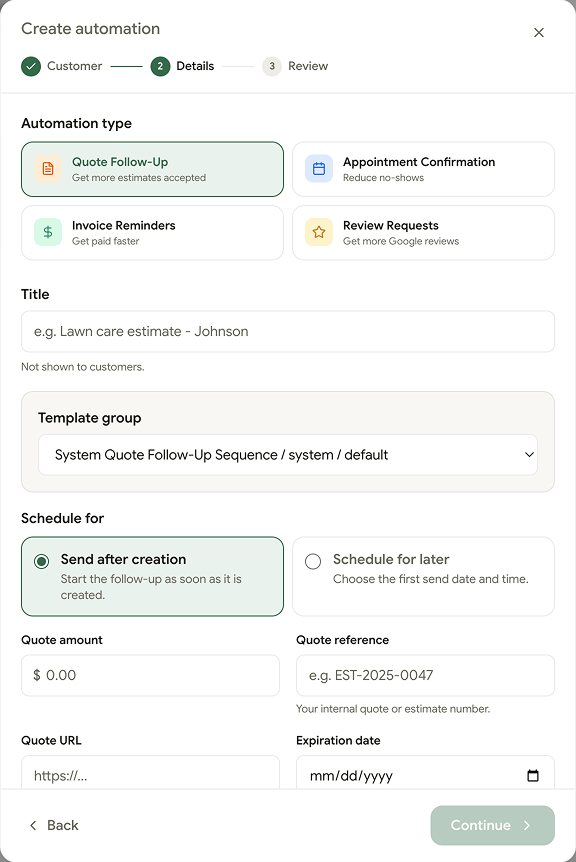
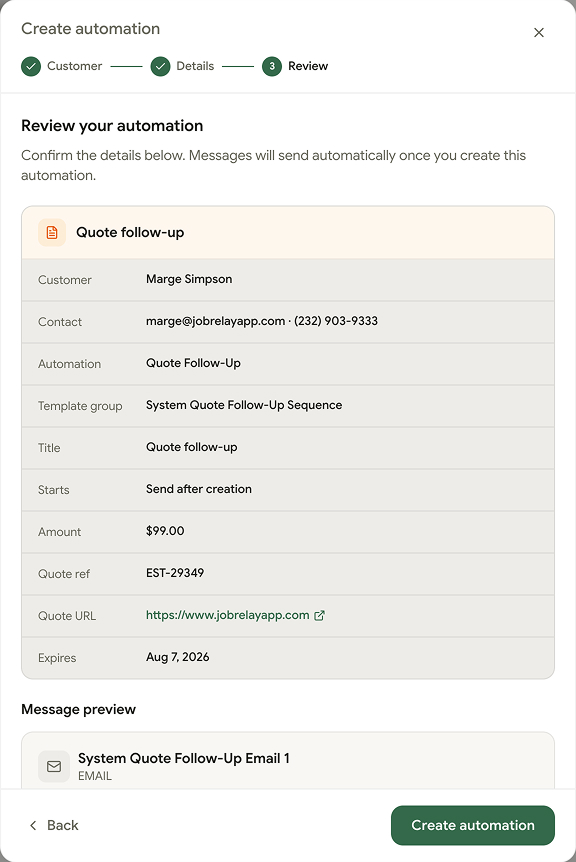
I designed the product around a simple loop: choose the follow-up task, add the customer and job details, then let the automation run on a clear schedule.
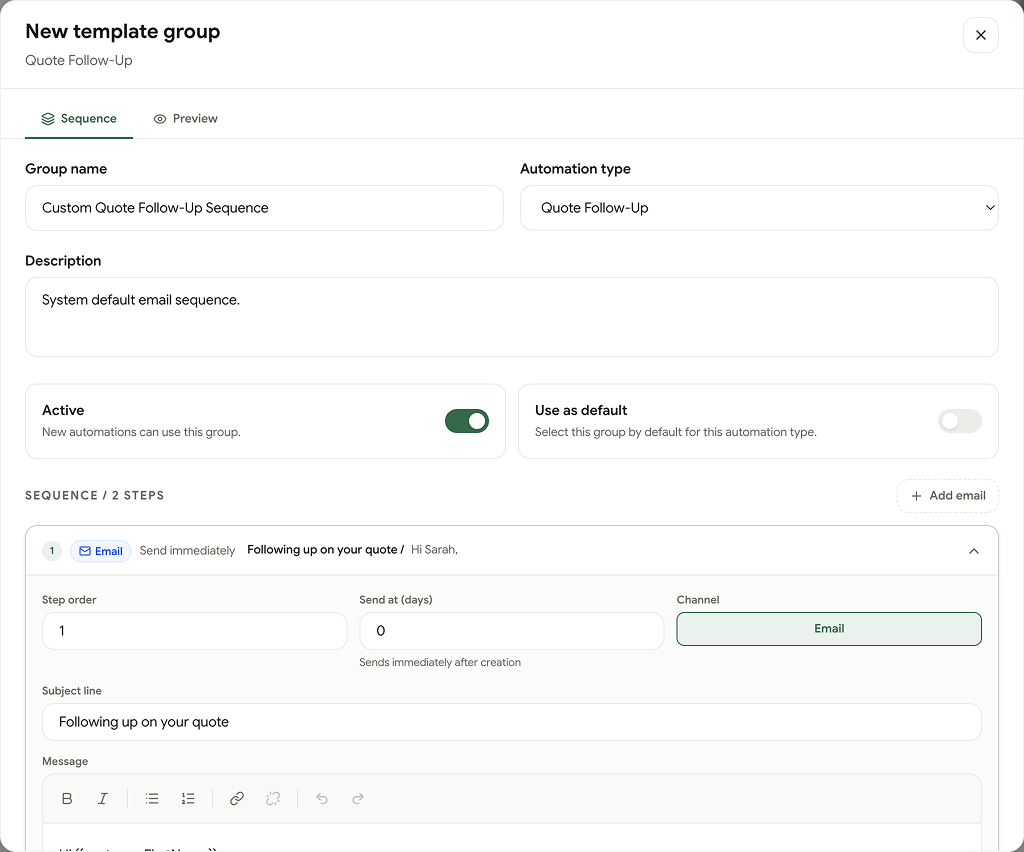
Each automation needed to be specific enough to feel useful on day one. Quote follow-up, appointment confirmation, invoice reminders, and review requests all have different timing, message tone, and stopping conditions, so I treated them as focused workflows instead of one generic campaign builder.
The product also needed to build trust quickly. I kept the interface centered on the next step, the customer status, and the most recent activity so a business owner can understand what is happening without digging through configuration.
Simple Setup
The core flow avoids CRM overhead. Pick a task, enter the required job details, and send the customer into a prebuilt automation.
Clear Status
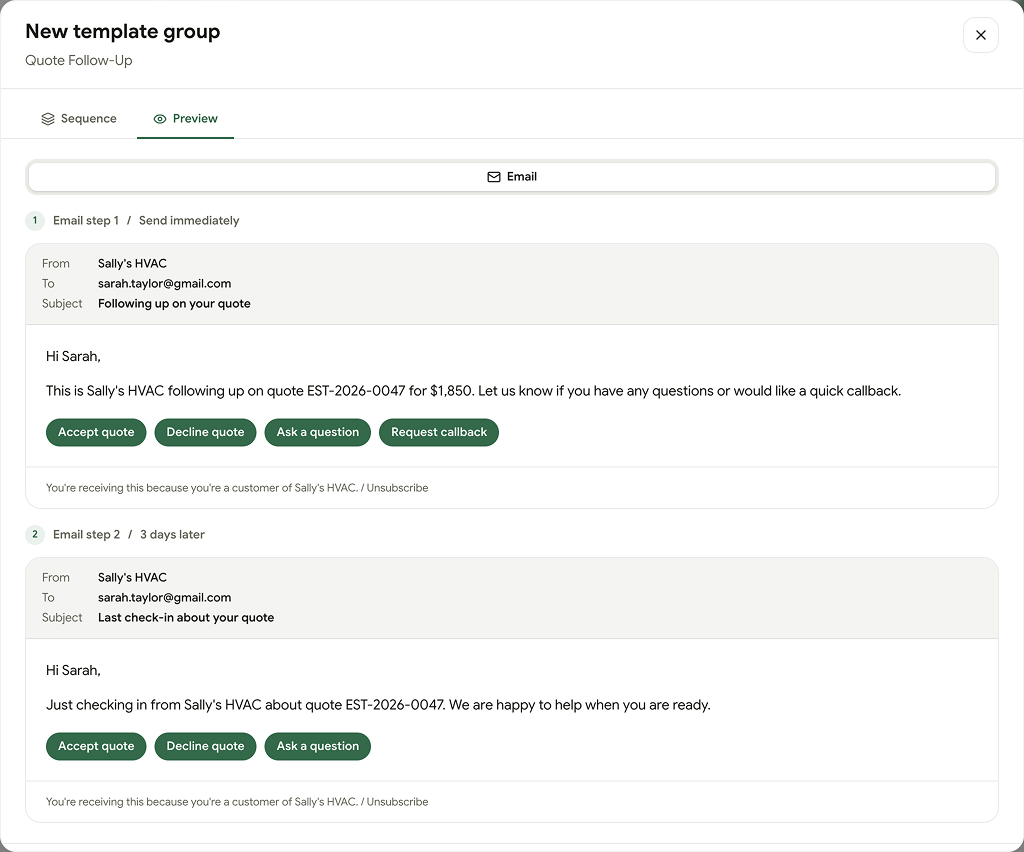
Each customer shows where the follow-up stands, what was sent, and whether the customer clicked, confirmed, paid, or responded.
Practical Defaults
Default schedules and message templates give owners a fast starting point while still leaving room to customize the details.
Create automation template flow
Using AI to Build
I used Figma Make to move quickly through the first version of the product interface. It gave me a working frontend prototype early, which helped me explore the structure of the app before spending too much time polishing individual screens.
Once the product direction felt solid, I brought that first version into VS Code and used Codex to help turn the prototype into a real application. From there, I built out the backend in Strapi and connected it to a Vue.js / Nuxt frontend.
That workflow let me move from idea to implementation without treating design and engineering as separate phases. I could shape the interface, refine the data model, build real automation flows, and keep tightening the product as the system became more complete.
Building Solo
JobRelay was a full product exercise across positioning, interface design, frontend development, backend workflows, messaging logic, and the details that make a subscription SaaS product usable.
The biggest design decision was restraint. A lot of automation tools get powerful by becoming abstract, but JobRelay needed to stay close to the concrete jobs service businesses already understand: quote, appointment, invoice, review.
The Impact
JobRelay shows how I approach early-stage product work: find a repeated operational pain, narrow the first version to a sharp customer workflow, and build the interface and system together so the product can be used without a long onboarding process.
The result is a focused SaaS product for small service businesses, built around the customer communication tasks that most often fall through the cracks.
Visit JobRelay